Record the lecture. Read along as it’s said.
Gistful records your class and writes the transcript while your professor talks, so you can listen now and study from the exact words later. It’s free, it runs in your browser, and there’s nothing to install.
How do I record a lecture and get the transcript at the same time?
Open Gistful, press Start lecture, and pick your microphone and language. A quick setup check tells you whether live transcript works in your browser before class begins. Then set your laptop or phone down and listen.
As the professor speaks, words show up on screen within moments. The newest phrase can shift a little while your browser is still working it out, then it settles into the final transcript. Every line is stamped with the time it was said.
Sitting at the back of a big hall? Tell Gistful how far away the speaker is (close by, across the room, or lecture hall) and it adjusts the microphone so a voice at the front still comes through.
What does it look like in a real class?
A short tour: live text in class, an online lecture, a word fixed once for good, and a transcript turned into flashcards.
What happens if the live transcript drops out?
Your audio records on its own track, separate from the live text. If the transcript stalls, your connection blips, or the browser’s speech service takes a break, the recording keeps going and Gistful quietly tries to bring the text back.
Audio is saved on your device first and uploads in the background, so weak campus Wi-Fi doesn’t decide what survives.
Can I take notes and mark key moments while it records?
Yes, without looking away for long. Type a note or write one by hand, and it’s linked to the second it belongs to. One tap marks a moment as a bookmark, something important, a question, or an explanation, each in its own color. On a keyboard it’s even quicker:
- B, I, Q and E mark a bookmark, something important, a question or an explanation
- N opens a typed note and D opens handwriting
- F freezes the transcript so you can read while Gistful keeps listening
- A opens Catch me up, with the key sentences and terms from the last 1, 3 or 5 minutes
Prefer bigger text or fewer distractions? There are five ways to follow along, from a full document to large live captions and a calm Focus view.
Will it spell my professor’s terms correctly?
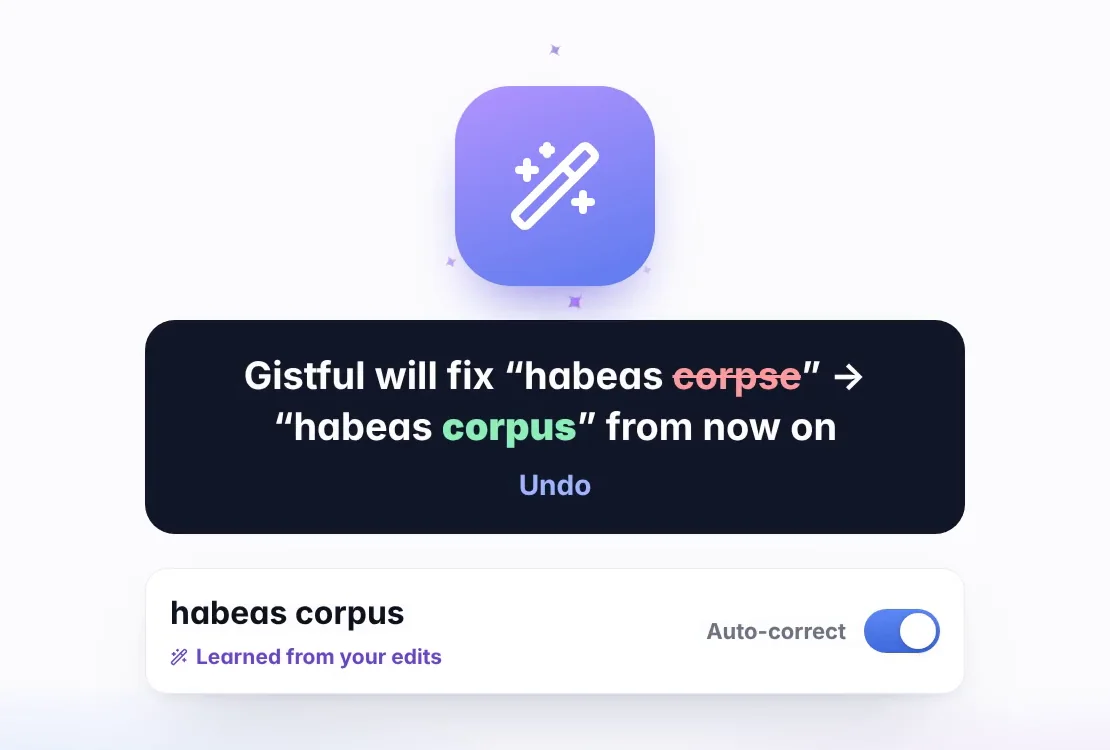
Every class has its own vocabulary. When Gistful mishears a word, double-click it in the transcript and type the fix. Gistful remembers the correction and applies it from then on, with Undo if you change your mind.
Keep words for one course, add them to your personal dictionary so every class gets them, or paste in a whole glossary at once.
How do I turn the transcript into study notes?
When class ends, the lecture lands in your library with the audio, transcript, notes and key moments on one timeline. Tap any line to hear that moment again, and search for a word across every lecture you’ve saved.
From there, make flashcards and fill-in-the-blank cards from your professor’s own sentences, build a glossary, or pull your highlights and bookmarks onto one study guide. Our guide on how to turn a lecture recording into notes walks through it step by step, and Cornell notes from a lecture transcript shows a layout that works well for review.
What does it cost, and what do I need?
Recording, live transcript, notes and study tools are free, with no time limit and no per-minute charges. See exactly what’s free and what Premium adds.
Gistful works in your web browser. Chrome and Edge on a computer, Chromebooks and Android phones give the most reliable live text, and Safari on iPhone, iPad and Mac works with a few platform limits. Our guide to recording a lecture on a Chromebook, iPad or laptop covers the setup for each.
Already have a recording from last week? You can transcribe a recorded lecture too. And before you press record, check your school’s rules: is it legal to record lectures? covers the basics.
Keep exploring
What should I read next?
What else do students ask?
How accurate is the live transcript?
It’s usually close, and it gets better with a clear microphone and a quieter room. The newest words can change for a moment before each phrase settles. Names and specialist terms are the most common misses, which is why Gistful learns from your corrections.
Does Gistful record the audio too, or only text?
Both. The audio records on its own track while the live transcript runs, and every line of text is timed to the audio, so you can replay any moment.
Do I need to install anything?
No. Gistful runs in your web browser. If you like, add it to your Home Screen or dock and it opens in its own window like an app.
Which languages can it transcribe live?
You can choose from 23 languages and regions, including English, Spanish, French, German, Portuguese, Arabic, Hindi, Chinese, Japanese and Korean. What works live depends on your browser, and the setup check tells you before you start.
Ready for your next lecture?
Make a free account in under a minute, then press Start lecture when class begins.